Log in to Workplace as an administrator.
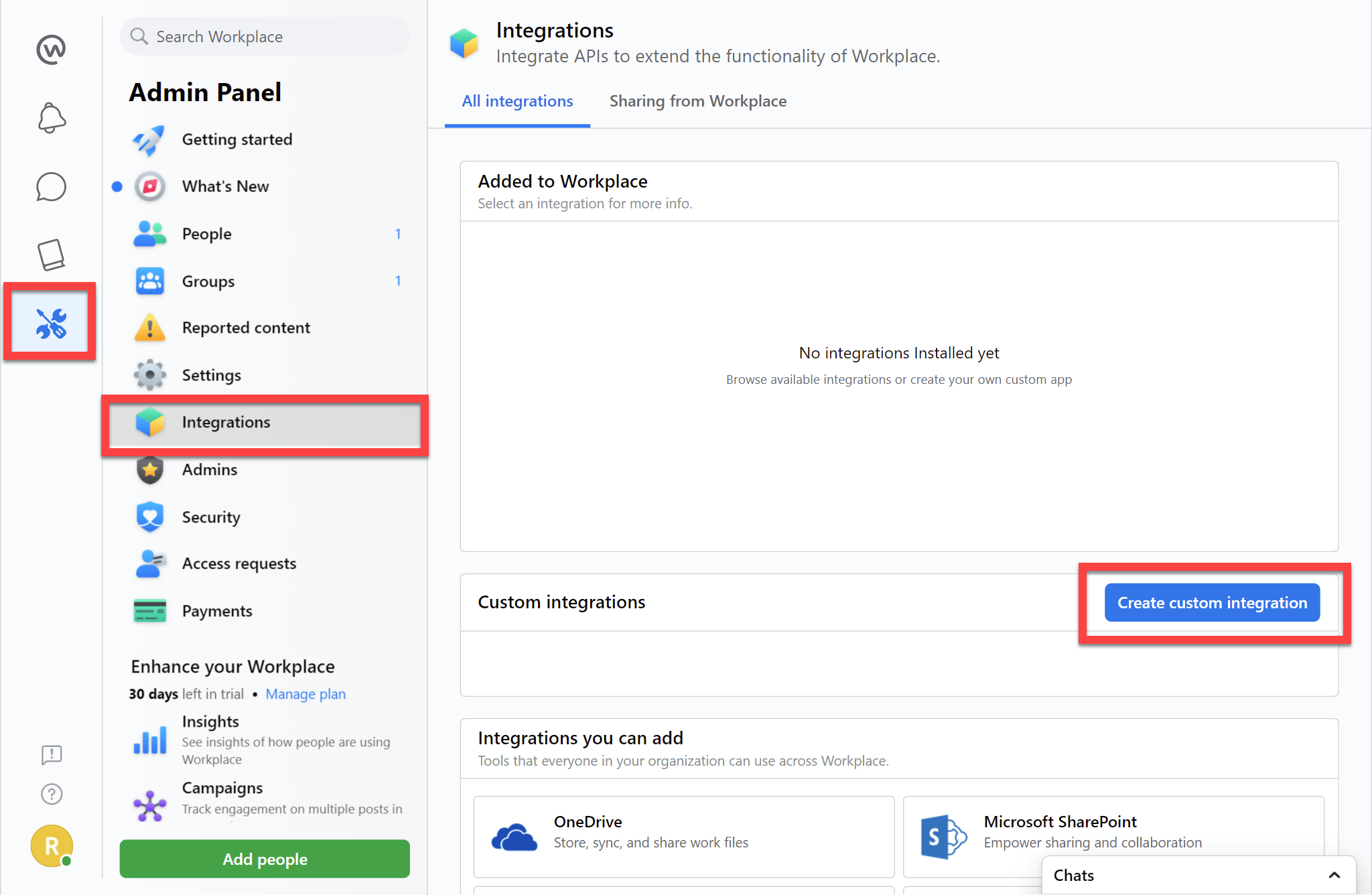
Choose the Admin icon, then click Integrations and Create custom integration:
Type in a short name and description (for example “1Password SaaS Manager” and “SaaS Manager integration”) and click Create.
Under Permissions, select the check boxes for:
- “Read group membership”
- “Manage accounts” and “Automatically invite people to Workplace as soon as they’re added using this integration.”
Scroll down the page and click Save.
Confirm the dialog that appears:

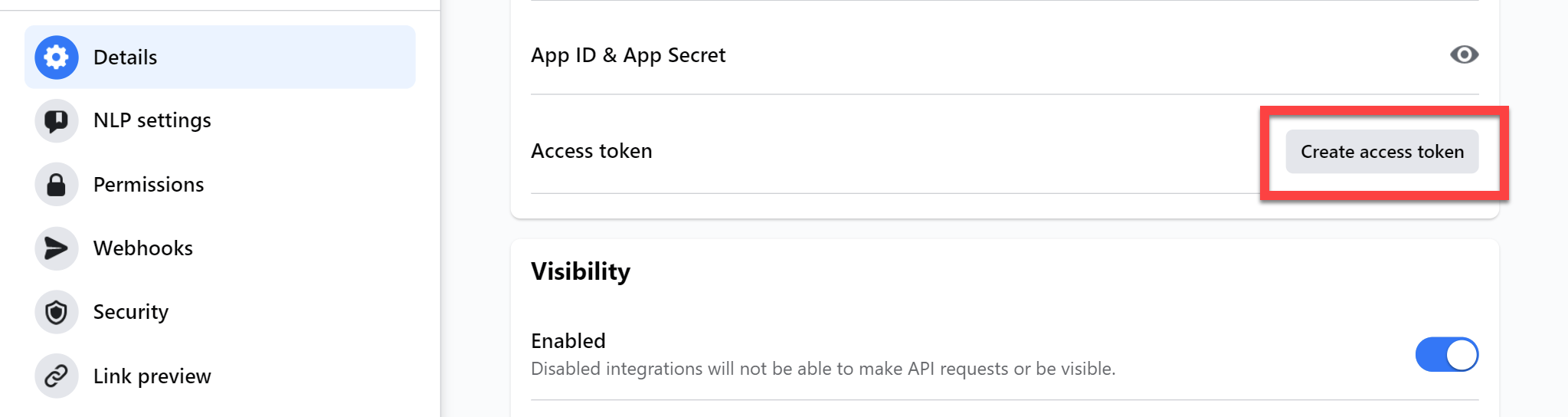
Under Details click Create access token.
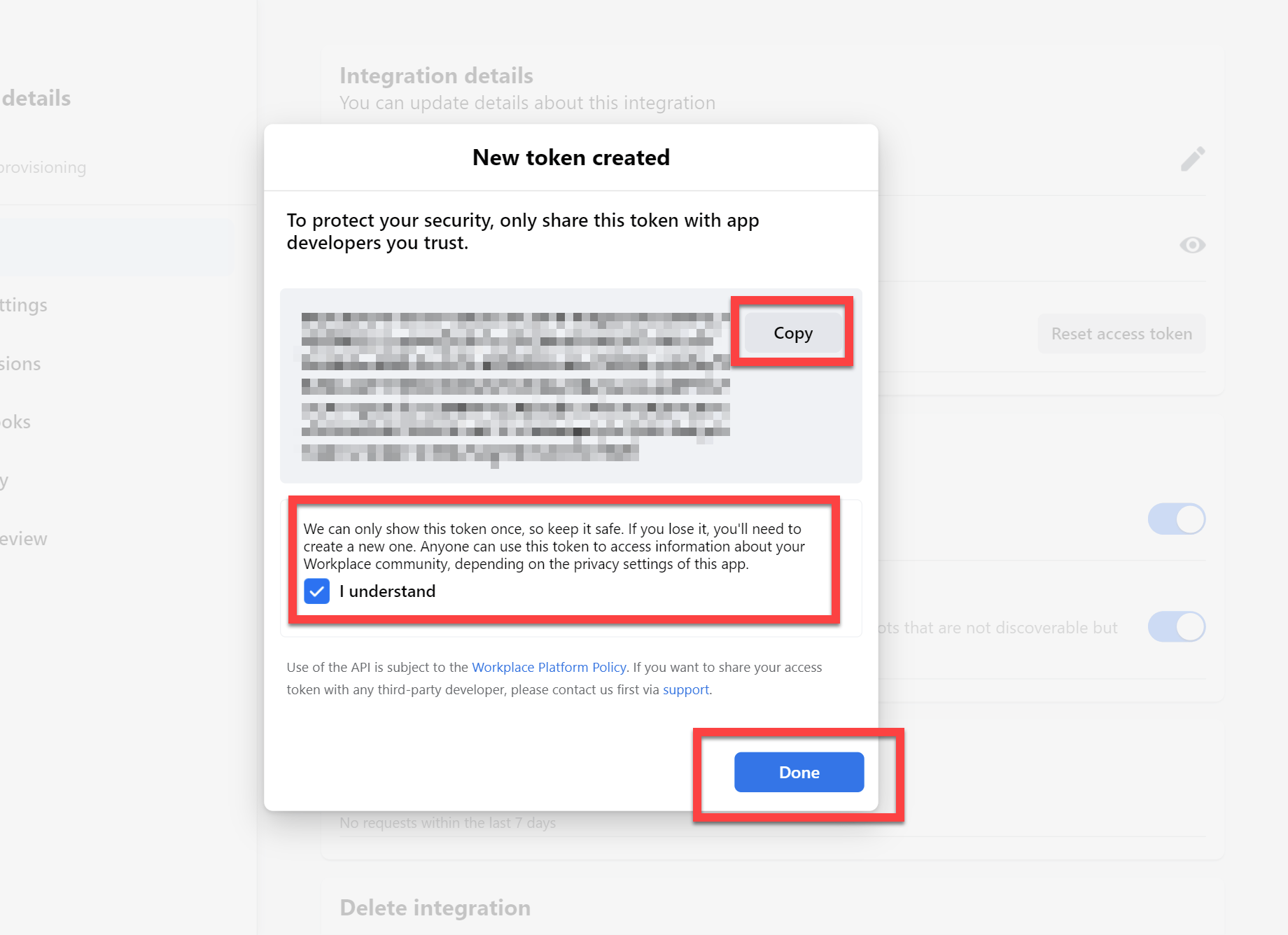
Copy the access token and paste it into SaaS Manager. Click I understand and Done:
Was this article helpful?
Glad to hear it! If you have anything you'd like to add, feel free to contact us.
Sorry to hear that. Please contact us if you'd like to provide more details.