Note
These instructions apply to the installed version of MDM Plus.
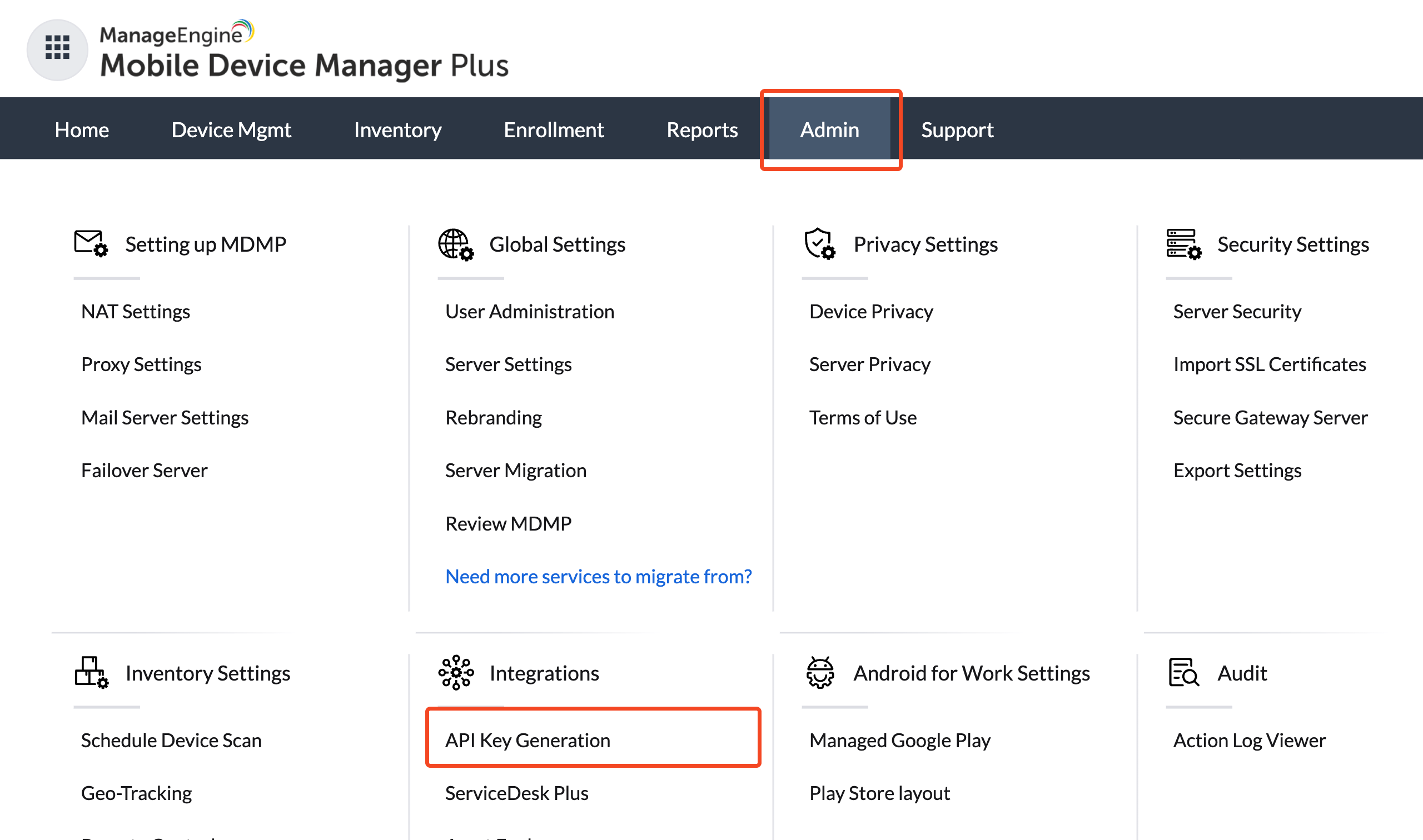
To generate an API key, login to MDM Plus and choose Admin > API Key Generation:
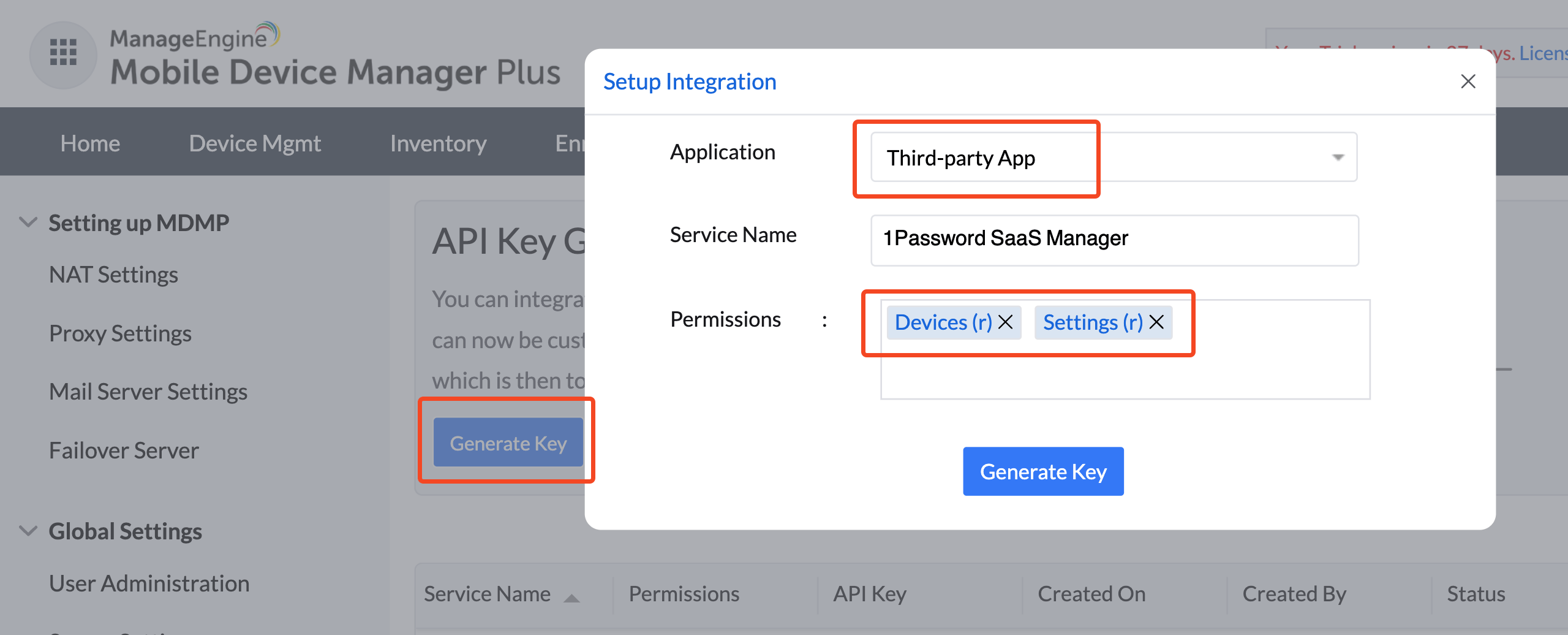
Select Generate Key, and choose Third-party App for the application. You will require read-permission on Devices and Settings.
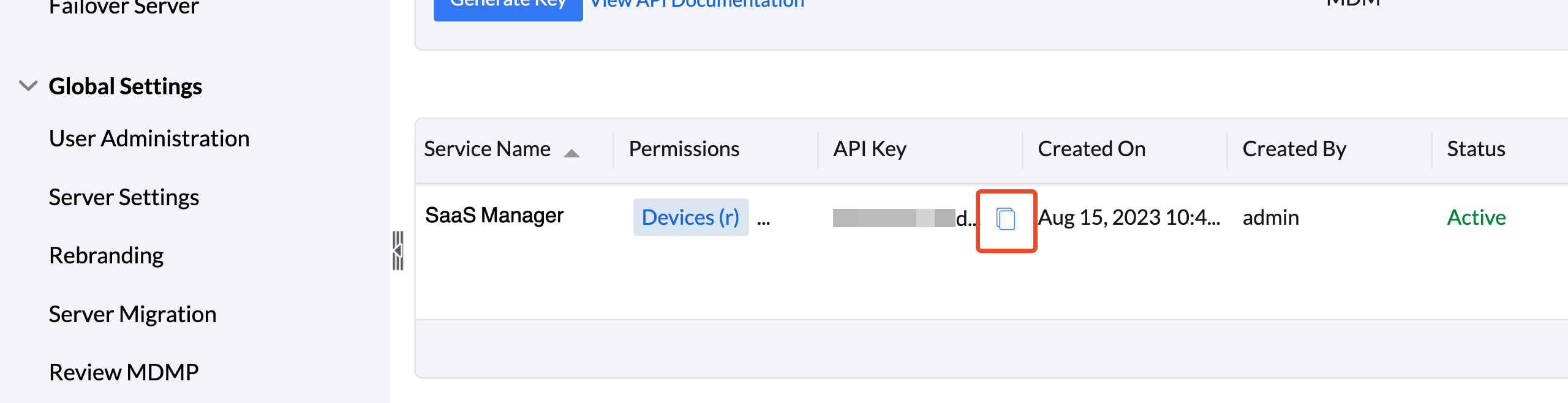
Once the key is created you can copy it to the clipboard from the list:
Was this article helpful?
Glad to hear it! If you have anything you'd like to add, feel free to contact us.
Sorry to hear that. Please contact us if you'd like to provide more details.