In order for 1Password SaaS Manager to access certain Google APIs you must enable Domain-wide Delegation for SaaS Manager.
Domain-wide Delegation is required for SaaS Manager to make Gmail related API calls, and also for Google Cloud Identity APIs (used for reading and managing device data).
This impacts actions including:
- Set email forwarding address
- Assign delegated access to email
- Set out of office
- Block or wipe device
Note
This is a once-only task that must be performed by someone with a Google Workspace Super Admin role.
You do not need to reconnect Google after making this change - it will take immediate effect.
Login to the Google Admin console
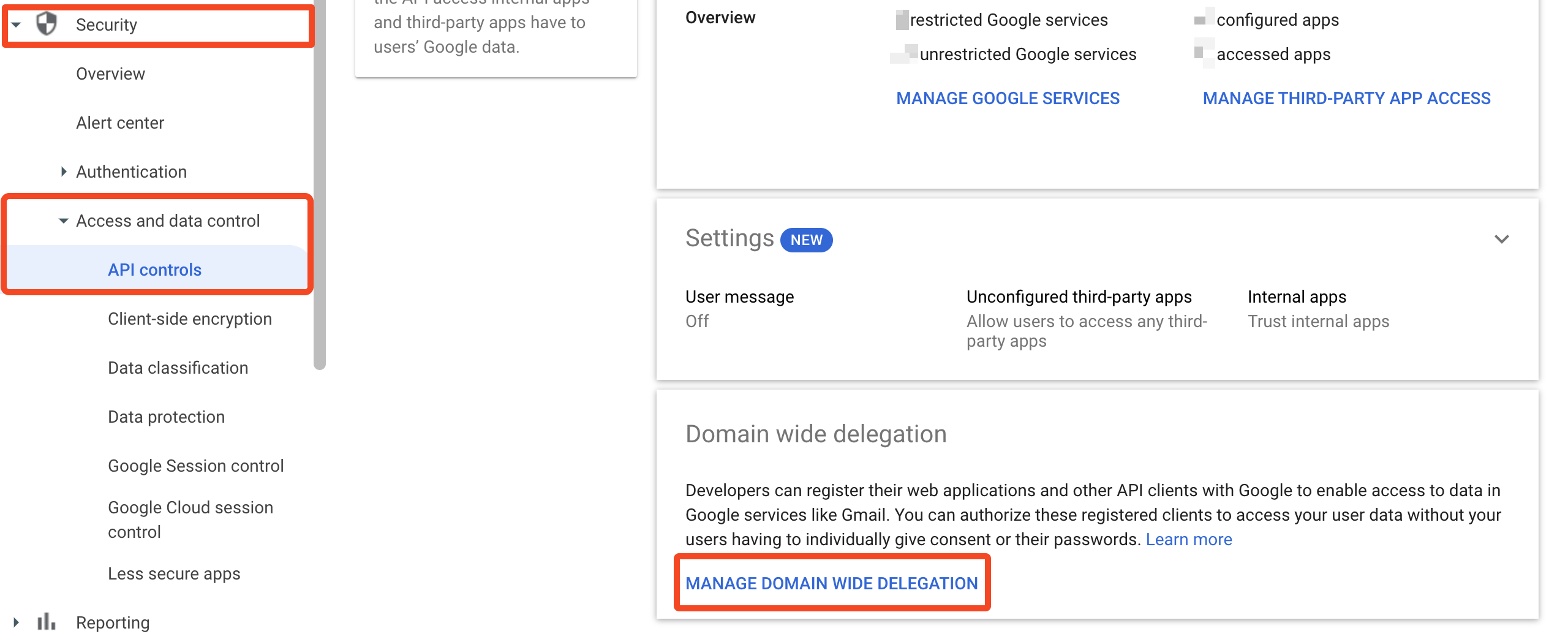
Go to Security > Access and data control > API Controls
Click Manage Domain Wide Delegation
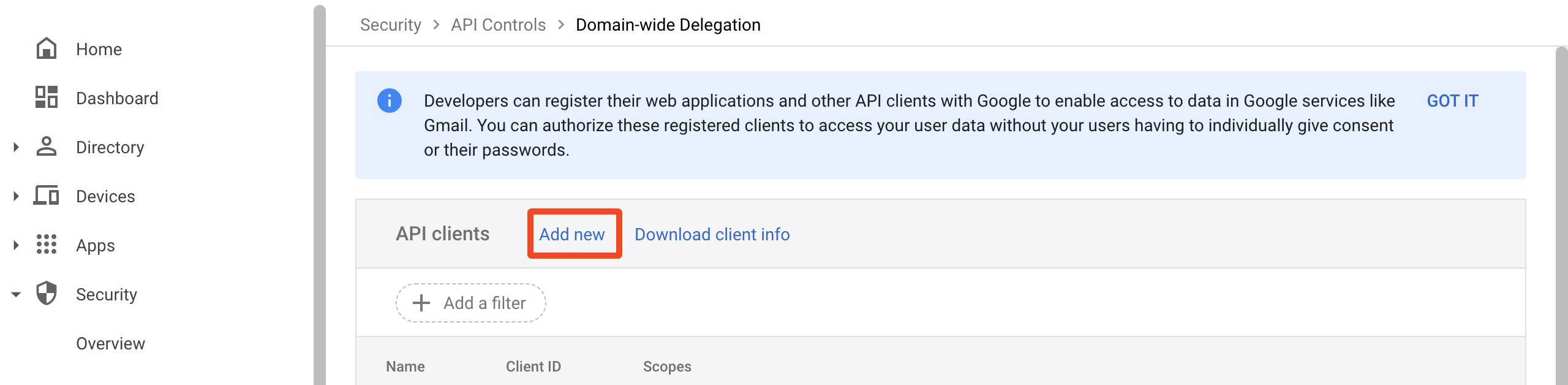
Click Add New
Enter the Client ID:
116083431084425988869Depending on the features you require, add the following OAuth scopes:
Gmail related actions:
https://www.googleapis.com/auth/gmail.settings.sharinghttps://www.googleapis.com/auth/gmail.settings.basicDevice related actions:
https://www.googleapis.com/auth/cloud-identity.devices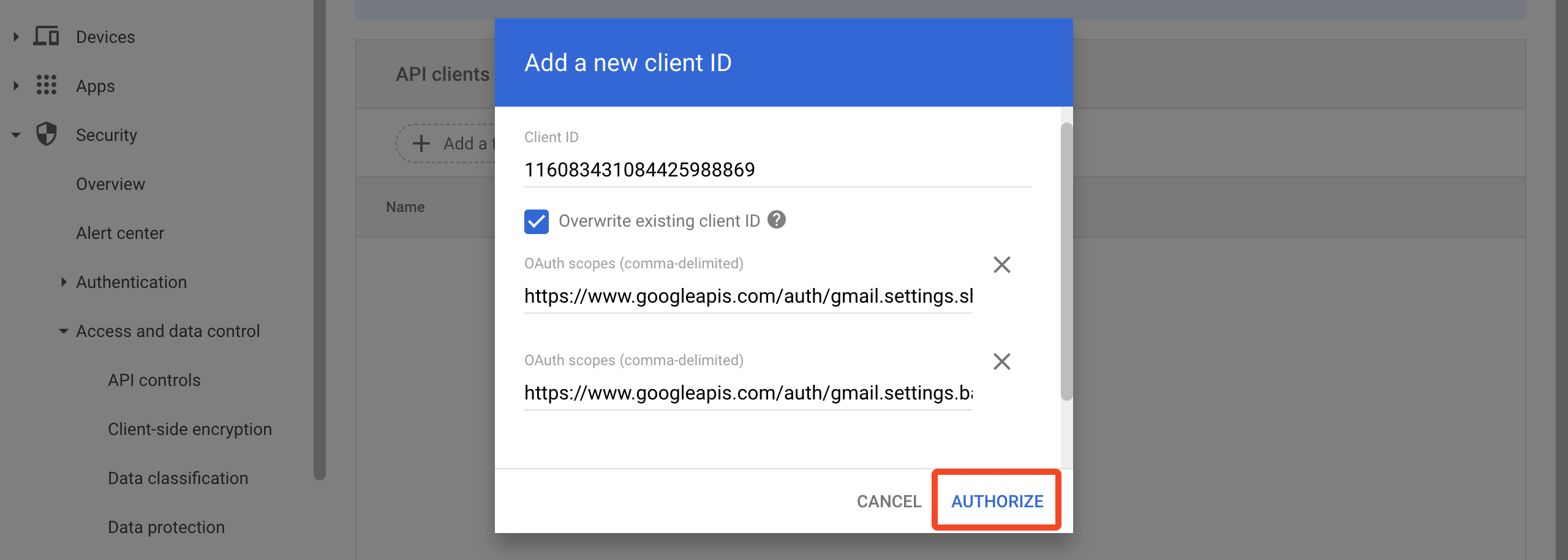
Click Authorize
Was this article helpful?
Glad to hear it! If you have anything you'd like to add, feel free to contact us.
Sorry to hear that. Please contact us if you'd like to provide more details.