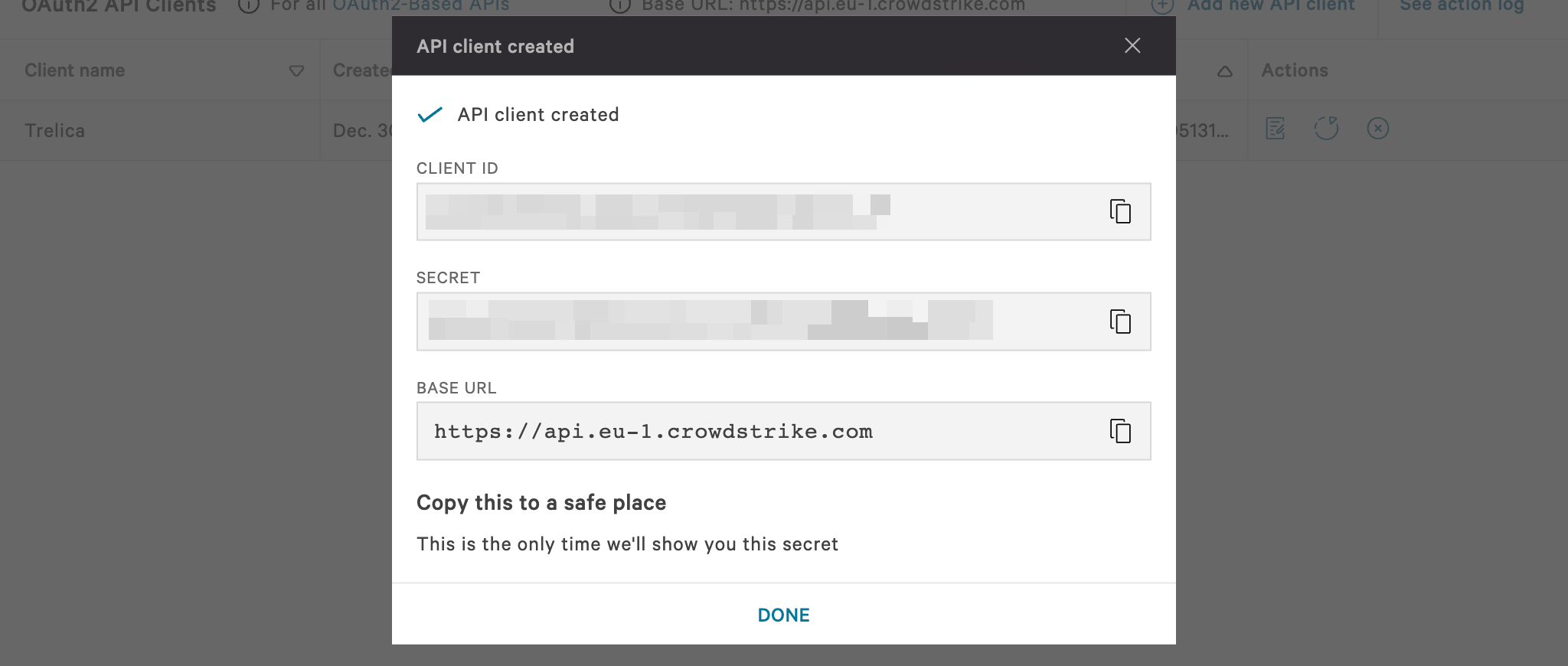
When you try to connect CrowdStrike to 1Password SaaS Manager you will be asked for a client ID, secret and base URL. This article shows you how to find and create API clients.
Log in to CrowdStrike and navigate to API Clients and Keys.
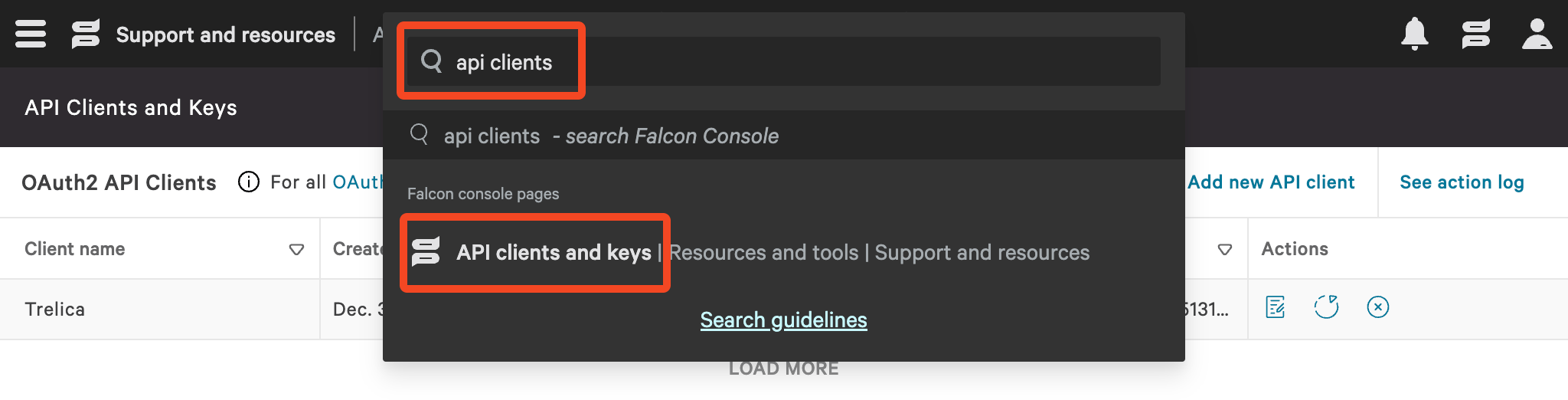
Click Add new API client.

Add a Client name for the API client, for example 1Password SaaS Manager and select the required API Scopes (Permissions).
These will depend on what features you want to manage through SaaS Manager.
| Feature | API Scopes |
| Default | User management (Read) |
| Devices | Hosts (Read) Host Groups (Read) Falcon Discover (Read) |
| Provisioning or Deprovisioning | User management (Write) |
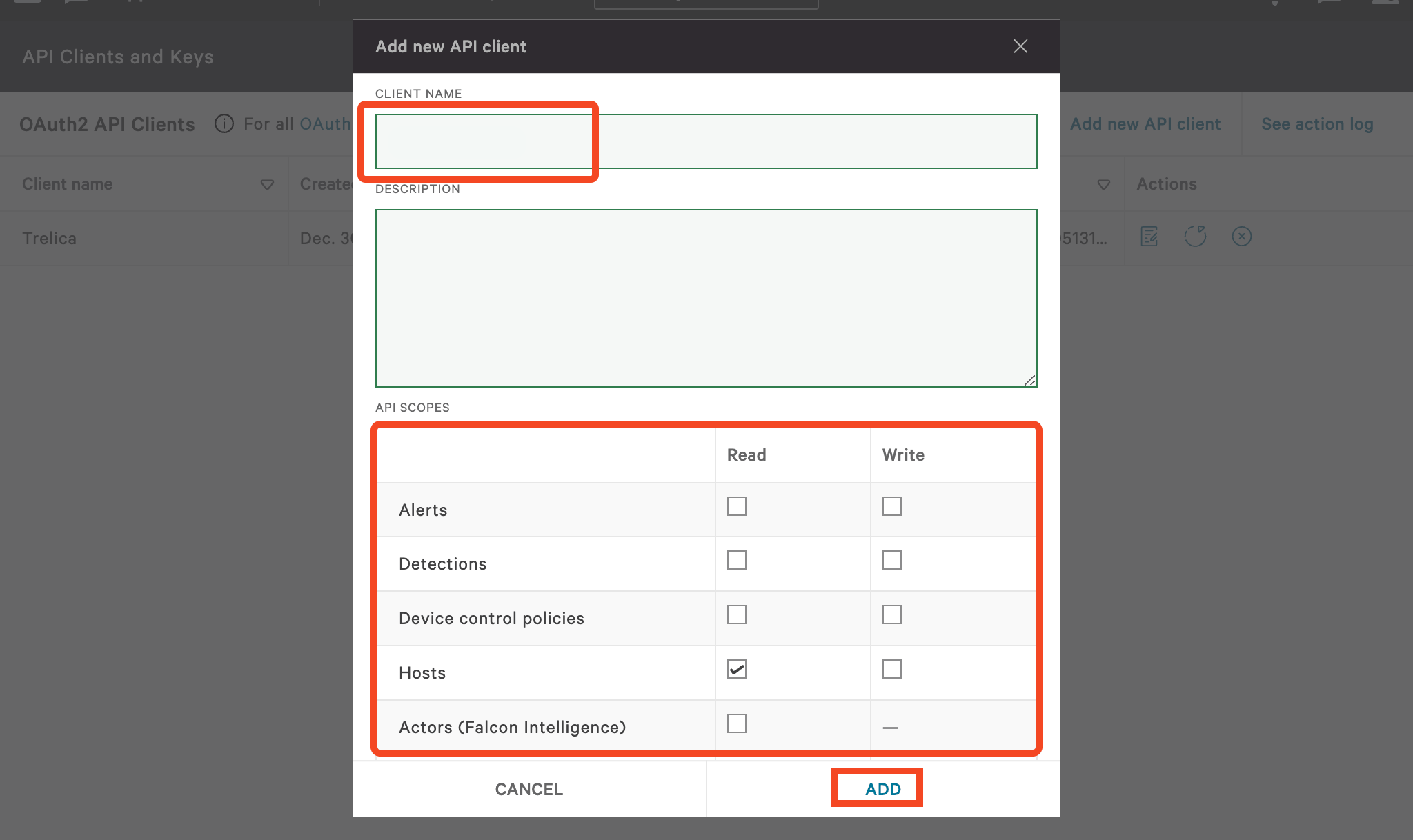
Click Add to create the API client.
Copy the API client details to a safe place, each of these can then be used when connecting CrowdStrike to SaaS Manager.
Was this article helpful?
Glad to hear it! If you have anything you'd like to add, feel free to contact us.
Sorry to hear that. Please contact us if you'd like to provide more details.