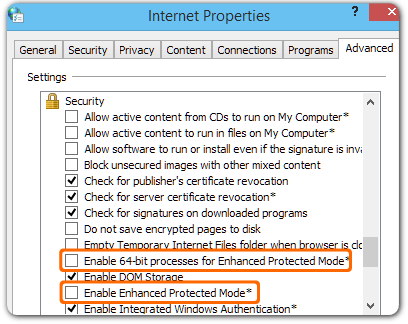
Enhanced Protected Mode feature is disabled by default on Windows 8.1 and later. To disable it manually in Windows 7 or 8:
- Open Internet Explorer.
- Select
 in the top right corner and choose “Internet options”.
 - Select the Advanced tab and scroll down to the Security section.
- Deselect “Enable Enhanced Protected Mode”. If you’re using Windows 8, also deselect “Enable 64-bit processes for Enhanced Protected Mode”.
- Restart Windows.